
UBIK® GO release: .NET MAUI client and modernized UI
UBIK® GO release: .NET MAUI client and modernized UI

UBIK® GO is purpose-built for industrial enterprises and is the fifth iteration of our trusted industrial mobile solution UBIK®: with a modern architecture rebuilt from the ground up that unlocks unprecedented flexibility and performance for field workers in mission-critical environments.
Whether it’s inspection, maintenance, commissioning or shutdown management, UBIK ® GO brings any scenario built on the UBIK® platform directly to your mobile device: secure, customizable and fully functional even without a network connection.
It seamlessly integrates with SAP, OPC and other systems in real time, preserving the features users already love while introducing enhanced speed, scalability and offline resilience.
A quick overview over the 5th iteration of UBIK®
Scroll down to see the updates made in the release of UBIK® GO 5.1.
-
New .NET MAUI client replacing Xamarin for long-term support and enhanced security
-
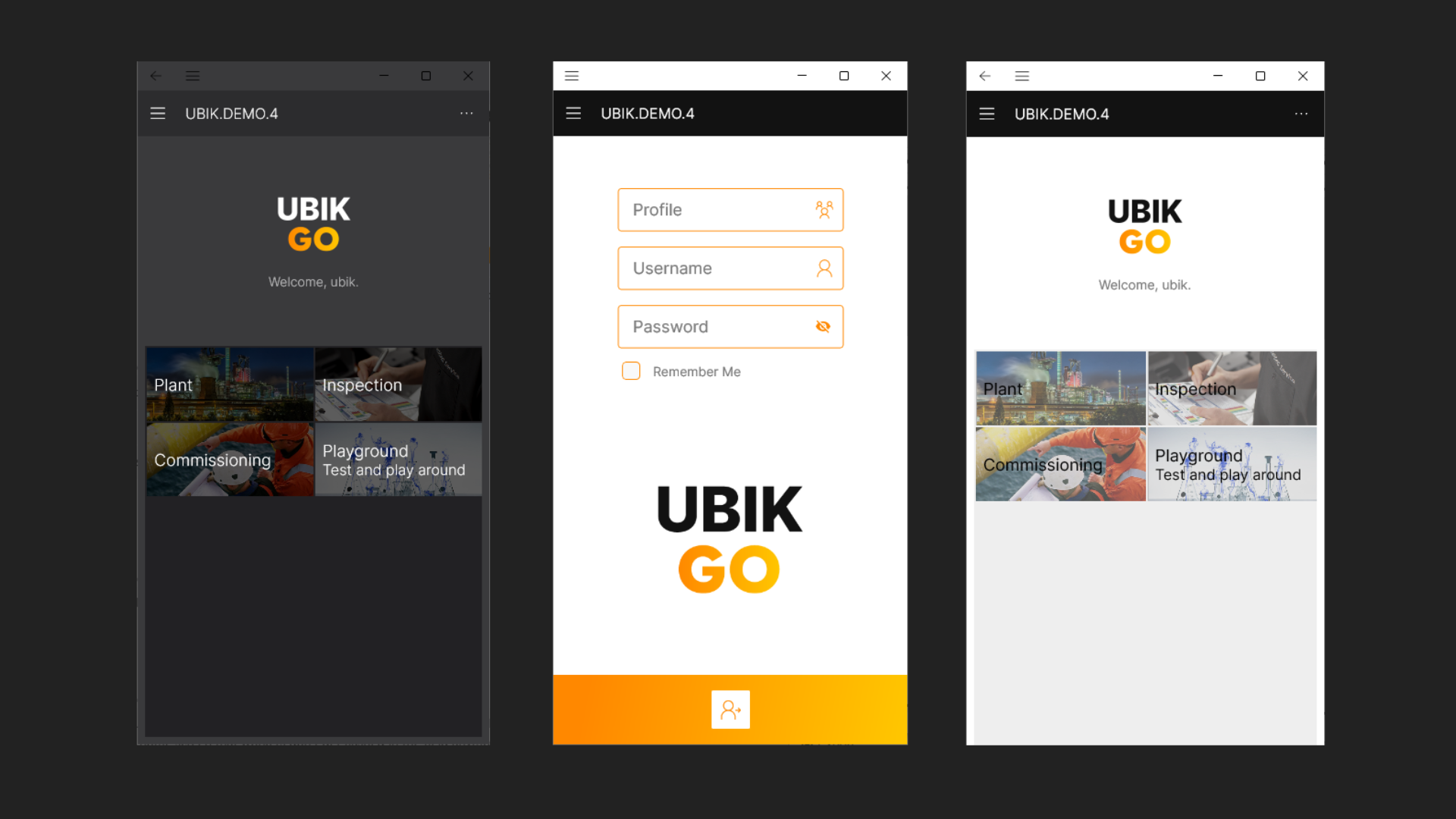
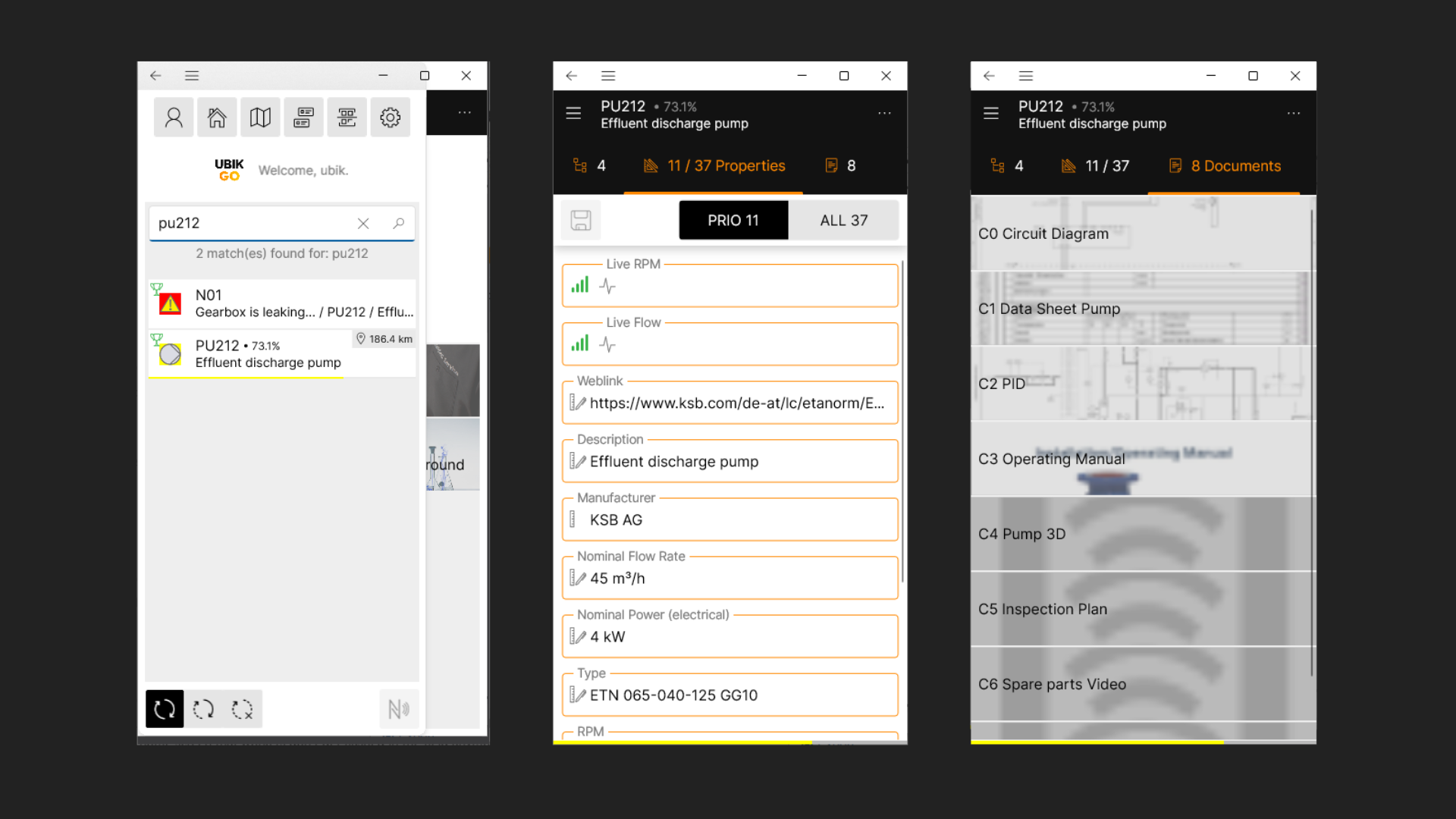
Modernized user interface with dark mode, improved navigation, and customizable layouts
-
Quality-of-Life improvements for smoother interactions and more intuitive workflows
-
Foundation for future feature expansions in upcoming releases
A new name.
The name UBIK® GO represents the fifth major version of our software. The “GO” in the name comes from the Japanese word for “five”, emphasising the platform’s ongoing evolution and readiness for future improvements.
A new client.
The previous UBIK® versions were built on the Xamarin client, which has reliably served users for years, but with Microsoft ending support for Xamarin, migrating to .NET MAUI was necessary.
Key advantages of .NET MAUI:
-
Enhanced security:
-
reduced exposure to potential threats
-
-
Long-term support from Microsoft:
-
ensures maintainability and alignment with supported technologies
-
-
Improved performance and responsiveness:
-
lays the foundation for a faster and more efficient user experience
-
This migration future-proofs the solution, providing a solid base for both current users and upcoming updates.
A modernized UI.
UBIK® GO continues to evolve with modernized UI compared to previous versions. It was further refined to bring more clarity and enhanced usability in the field. Like that users can work even faster with the software, which is especially important for workers in the field.
-
Simplified navigation and layout:
-
critical functions are easier to access
-
-
Dark mode on home screen:
-
implemented based on user feedback
-
-
Customizable interface:
-
adaptable to different enterprise needs and Corporate Designs
-
- Quality-of-Life improvements:
- cleaner dashboards, smooter interactions, more intuitive design
This migration future-proofs the solution, providing a solid base for both current users and upcoming updates.
Update: Release UBIK® GO 5.1: POI and Map Views
With UBIK® GO 5.1, we are highlighting two key capabilities of the mobile platform: Points of Interest (POIs) and map-based visualization. Both are based on external base maps. These features complement the full .NET MAUI migration, supporting field workers in quicker and safer orientation in industrial plants.
POI View (Mobile).
The app displays POIs based on the device’s current location. Objects with geo-coordinates or optical markers, such as QR codes, barcodes or OCR text are highlighted in real time within the camera view. Users can interact with POIs to access additional information, navigate to them, or explore associated groups, buildings, and levels. This ensures precise, contextual guidance directly in the field.
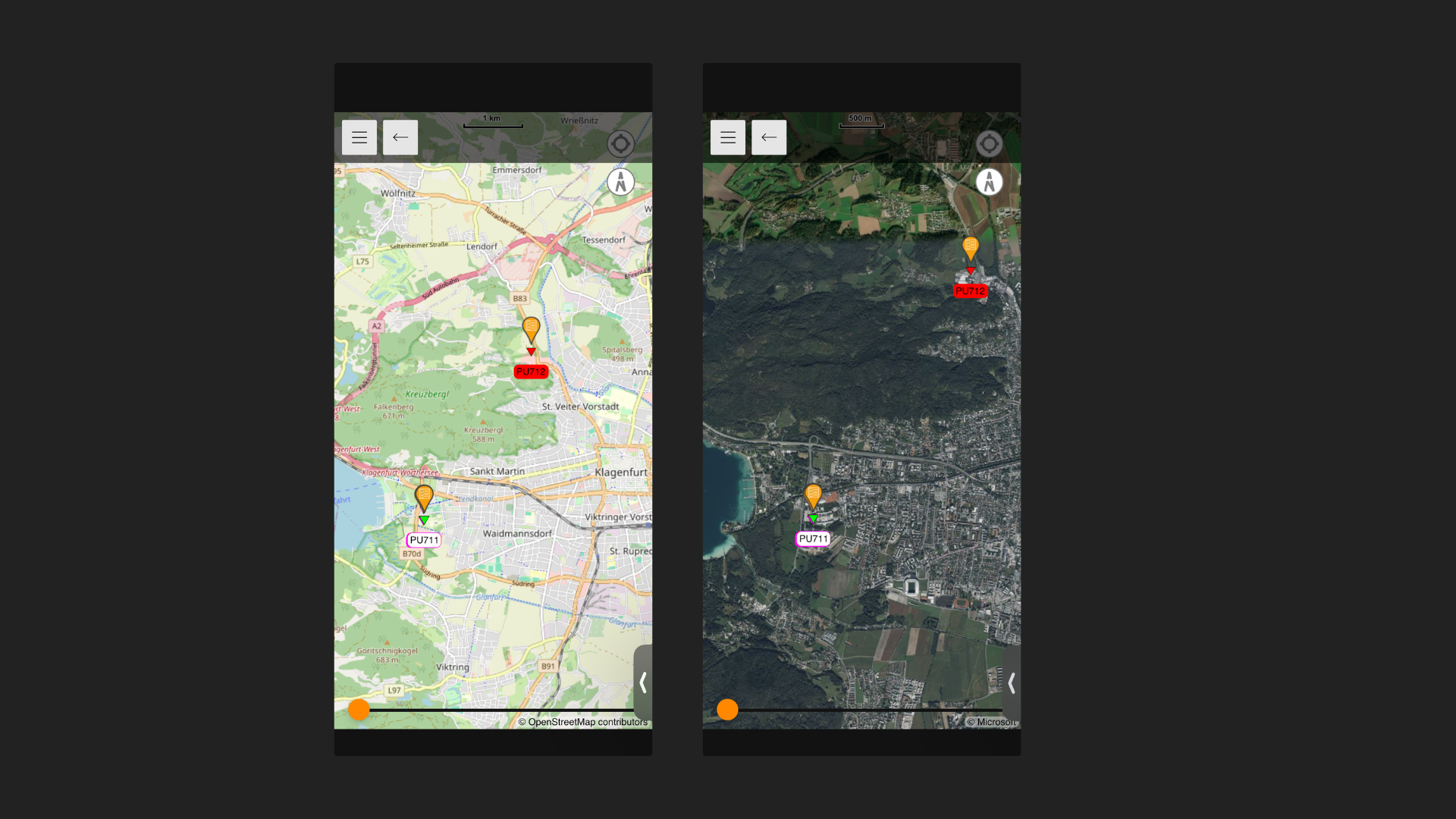
Map View (Mobile).
The mobile map view aggregates all geo-referenced objects, including POIs, overlays, and shapes, on top of configurable base maps such as Bing Maps or plant-specific maps.
Users can select, deselect, and navigate to POIs within the map context, while grouping and building structures help prevent clutter and make complex facilities easier to survey at a glance.
Different map types are available, ranging from world maps for global orientation to plant maps for facility-specific navigation and detailed spatial context.
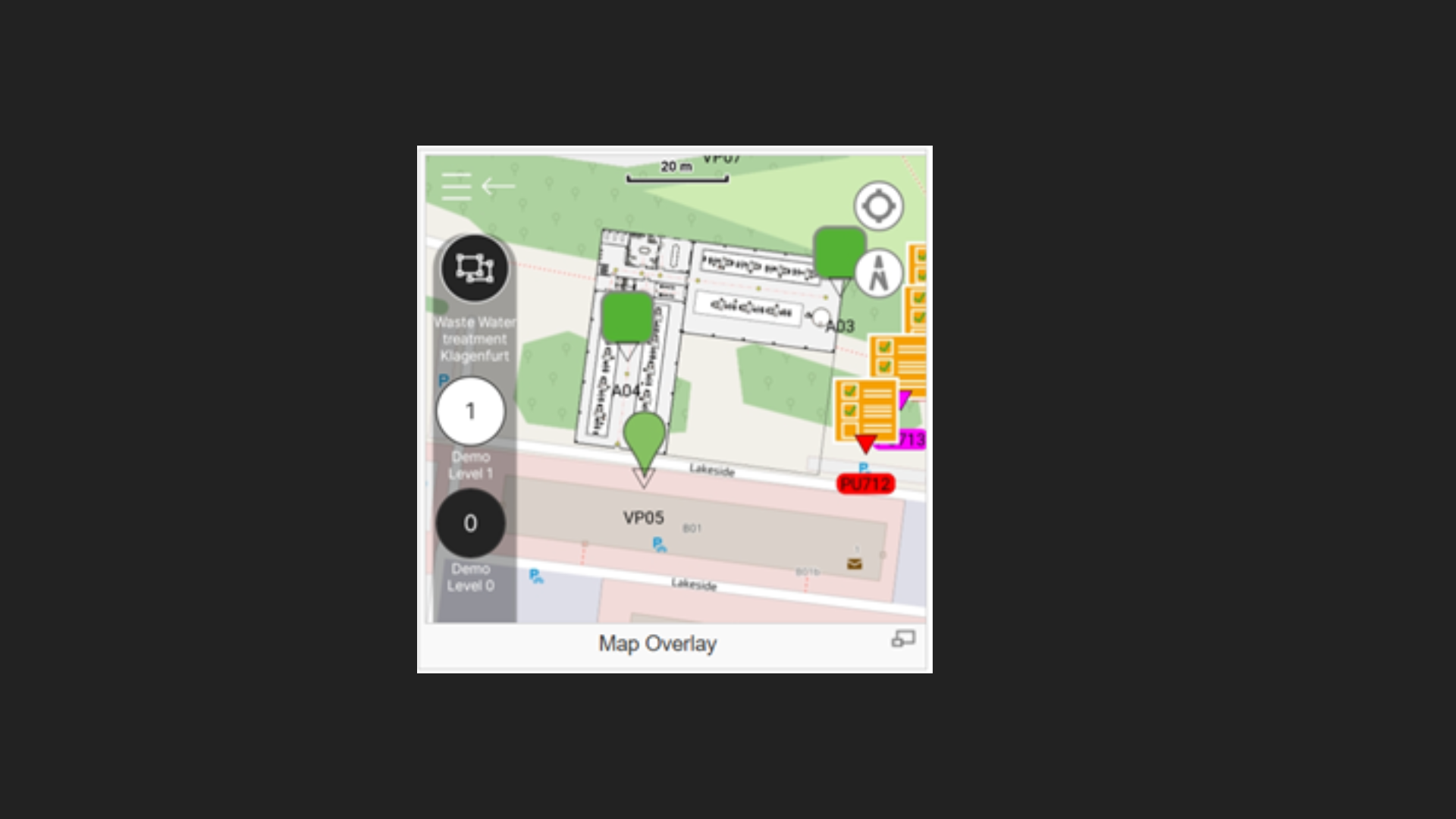
These features complement the full .NET MAUI migration, providing field teams with more precise location awareness, faster orientation, and safer operations during inspections, maintenance, or commissioning tasks.
Summary
With UBIK® GO, we have:
- Introduced a new name reflecting the fifth major iteration of the platform
- Replaced the Xamarin client with a new .NET MAUI client
- Introduced a modernized UI, including dark mode and QoL improvements
- Built a solid foundation for future feature enhancements
With UBIK® GO 5.1 we additionally have:
- Highlighted key features such as POIs and Map views, demonstrating intuitive location-based visualization of assets on the mobile platform
UBIK® GO provides a supported, secure, and maintainable platform, allowing users to continue workflows reliably while enjoying a updated interface. The update provides a sustainable software solution for future developments.
Find the details and specific changes for each mobile and desktop version on our Wiki pages:


Recent Comments